
Where do the six chest electrodes go?
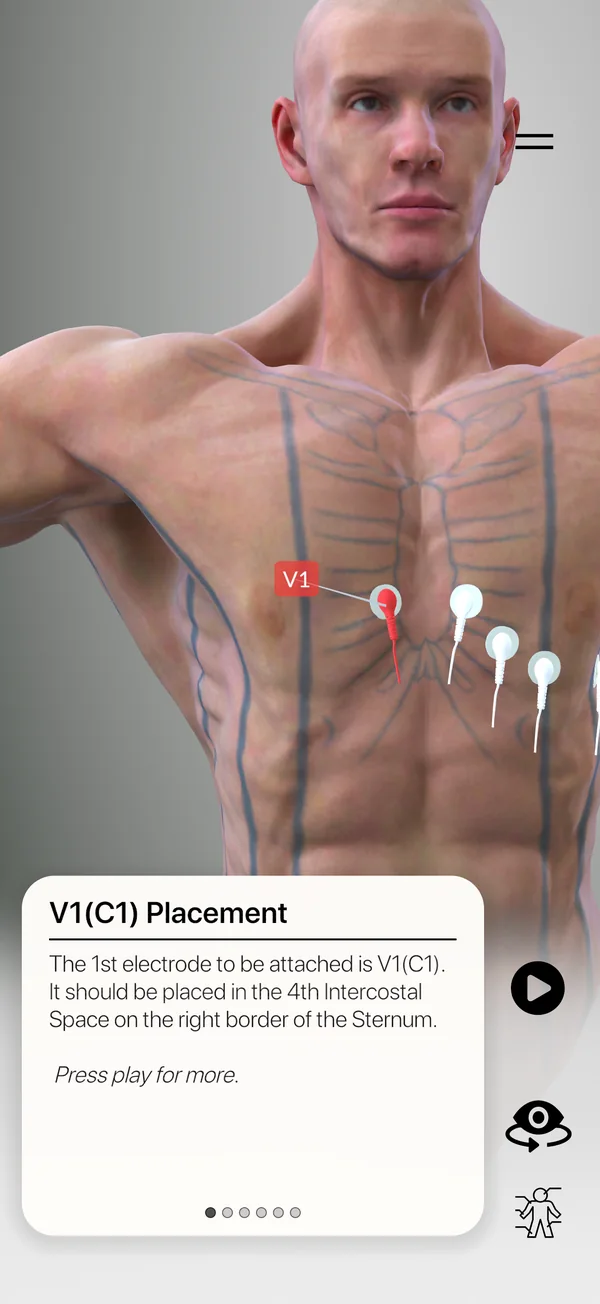
Follow V1 to V6 across the chest. Open a placement lesson to see the selected electrode and the landmark used to locate it.
May we use Google Analytics cookies to understand how the atlas is used? You can keep reading with either choice and change it on our Cookie Policy page.
 3D ECG Leads
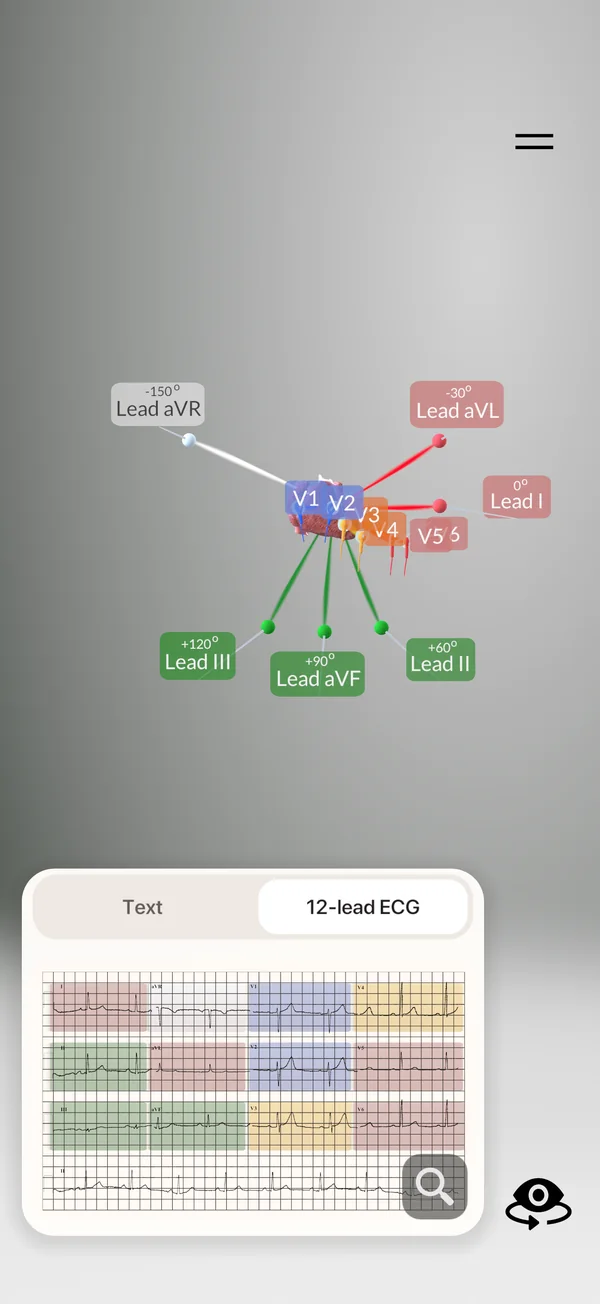
Each ECG lead gives you a different view of the heart’s electrical activity. Rotate the 3D model to see how all 12 leads are oriented in space and compare the perspectives of the limb and chest leads.
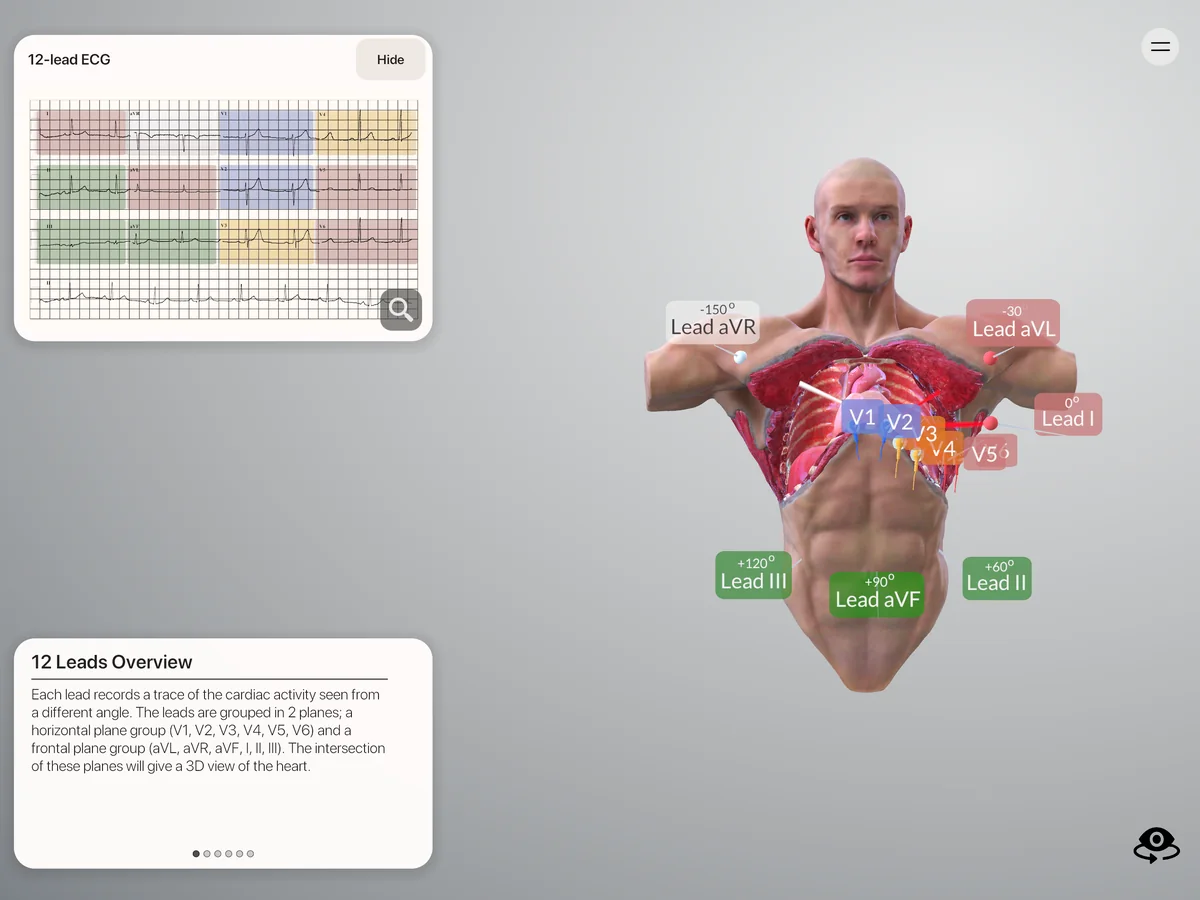
An electrode is a contact on the body. A lead is a view of the heart’s electrical activity derived from the electrodes. Rotate and zoom the model to see where the contacts sit, then open the lead views to compare their directions.
Follow V1 to V6 across the chest. Open a placement lesson to see the selected electrode and the landmark used to locate it.
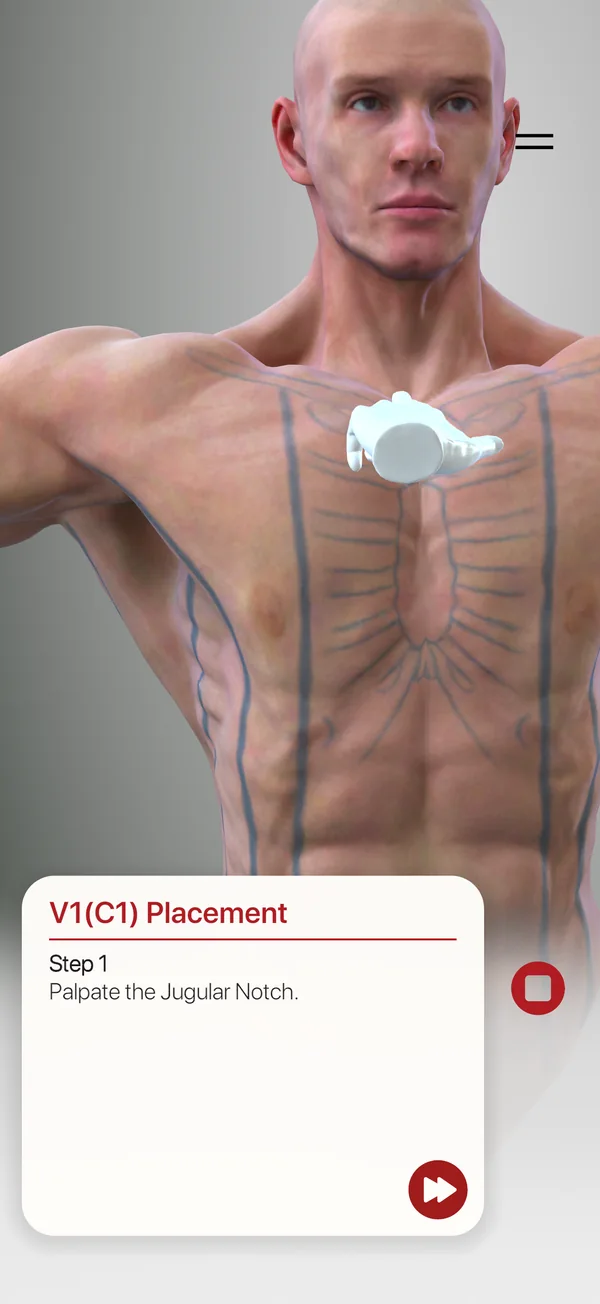
Press play on a chest electrode and the app animates the locating technique. For V1 it starts at the jugular notch, slides down to the sternal angle, then counts down the right intercostal spaces to the fourth, where the electrode is placed.
Each lead is generated from an exploring electrode (+) and an indifferent electrode (−). In the Lead II lesson the chest opens to show the heart and the line that runs from the right arm (−) to the left leg (+).
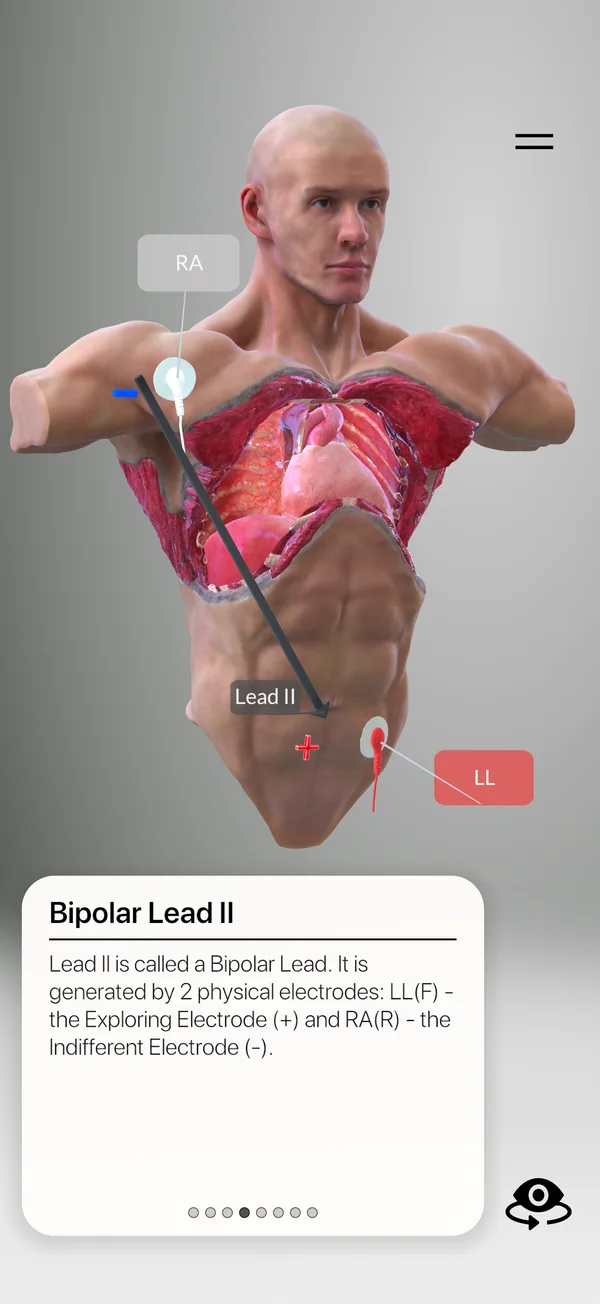
Open the twelve-lead overview, then select a lead to explore its direction relative to the heart. Compare the limb leads with the views across the chest.
Get 3D ECG Leads for iPhone or iPad. The App Store shows the price in your region and the device requirements.
The tracings in the lessons are teaching examples. The app does not record or interpret a patient’s ECG. Use it alongside supervised training and your local clinical protocols.
3D ECG Leads is available for iPhone and iPad. The App Store listing gives the current compatibility requirements and local price.
